Dynamic Vector Backgrounds: Elevate Your Designs
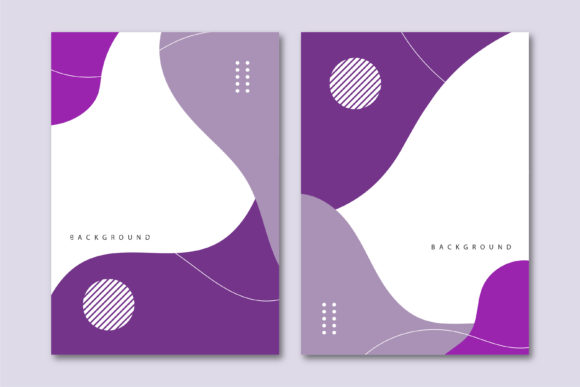
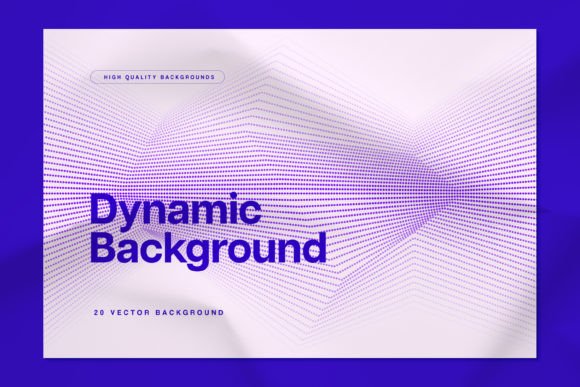
You know the feeling. You’re staring at a blank artboard in Illustrator or Figma, the client wants something "modern and dynamic," and the default gradient just isn’t cutting it. This is where the right design assets come into play. Instead of spending hours tweaking bezier curves to create organic shapes, imagine having a toolkit of 20 high-quality abstract wavy dots backgrounds ready to go. These aren't just static images; they are Dynamic Vector Backgrounds that offer flexibility, scalability, and a sophisticated aesthetic that can instantly upgrade a project.
Let’s be honest about the current landscape of web design and digital design. Flat, static imagery is becoming less effective at capturing attention. Users are accustomed to depth, texture, and movement. The "wavy dots" aesthetic taps into this perfectly. It bridges the gap between rigid geometric grids and fluid, organic motion. It’s a style that suggests innovation and fluidity—two traits that almost every brand wants to project. Whether you are a freelancer juggling multiple clients or a small business owner trying to DIY your marketing materials, understanding how to leverage these backgrounds is a game-changer.
The Anatomy of a Modern Aesthetic
So, what exactly makes these abstract backgrounds so effective? It comes down to visual psychology and composition. The "wavy" aspect introduces a sense of flow and rhythm. It guides the viewer's eye across the page in a way that a standard grid cannot. Meanwhile, the "dots" provide structure. They are the anchors in this fluid environment. When you combine these two elements, you create a texture that is complex enough to be interesting but uniform enough not to distract from your foreground content.
Because these are Dynamic Vector Backgrounds, the technical advantages are massive. Unlike raster images (like JPEGs or PNGs), vector files are defined by mathematical formulas rather than pixels. This means you can scale them to the size of a billboard or shrink them down for a favicon without losing a single ounce of quality. There is no pixelation, no blurring—just crisp, clean lines every time. For a designer working on packaging design or editorial design, this scalability is non-negotiable.
Furthermore, the vector nature of these assets allows for deep customization. You aren't stuck with the default color palette. If a client’s brand identity relies on neon greens and deep navy blues, you can easily swap the colors of the dots and waves to match. You can adjust the opacity to make the background subtle or bold. You can even isolate specific elements to use as standalone graphic flourishes. This level of control ensures that the background feels like an integrated part of your design rather than a generic sticker slapped on top.
Practical Applications: Where Abstract Backgrounds Shine
The versatility of abstract wavy dots is one of their strongest selling points. They possess a neutrality that allows them to adapt to various industries without feeling out of place. Here is how different creative professionals can utilize them:
- Marketing and Social Media Graphics: In the fast-scrolling world of Instagram or LinkedIn, you have milliseconds to stop a thumb. A vibrant, textured background creates an immediate visual hook. Use these for quote cards, announcement posts, or story backgrounds to maintain a cohesive, high-end look.
- Web Design and UI: Abstract backgrounds are perfect for hero sections or "About Us" pages. They add depth without the heavy load times associated with high-res video backgrounds. They work exceptionally well behind glassmorphism UI elements or as textures for dark mode interfaces.
- Print Design: Think about the cover of a portfolio, a conference flyer, or event posters. The texture of dots adds a tactile quality to print, making the paper feel more premium. It’s a great way to fill negative space without overwhelming typography.
- Presentation Design: If you are tired of solid blue or grey PowerPoint slides, swapping in a subtle wavy vector background can instantly make your data and key points feel more engaging and professional.
It is important to note that while these are distinct design assets, they function best when they support your typography. They are the stage, not the actor. If you are working on logo design, you likely wouldn't use this as the logo itself, but it would be an incredible backdrop for a logo presentation mockup or a business card design.
Integrating Dynamic Backgrounds into Your Brand Identity
Consistency is the cornerstone of good branding. When you find a style of background that resonates with your brand's personality—perhaps it’s energetic and chaotic, or maybe it’s organized and futuristic—sticking with it helps build recognition. Using Dynamic Vector Backgrounds across your touchpoints creates a visual thread that ties your website to your email newsletters and your physical flyers.
When evaluating how these fit your project, consider the "visual weight." A dense pattern of dots with sharp waves creates high energy; it’s great for tech startups, fitness brands, or music festivals. A sparse pattern with soft, rolling waves creates calm; this suits wellness brands, architectural firms, or high-end consulting services. By adjusting the scale and density of the vector elements, you can completely change the personality of the asset to match your specific needs.
Technical Tips for Working with Vectors
To get the most out of these backgrounds, a little technical know-how goes a long way. Since you are dealing with vectors, you will likely be working in Adobe Illustrator, Affinity Designer, or similar software.
- Layering and Masks: Don't just place the background on Layer 1 and your text on Layer 2. Use clipping masks. Place your text or shape on top of the background, select both, and create a clipping mask (Ctrl+7 / Cmd+7 in Illustrator). This allows the wavy dots to live inside your text or shapes, creating a much more integrated modern typography effect.
- Color Harmonies: When recoloring, use a limited palette. Two or three colors usually work best. If the waves are one color and the dots are another, ensure there is enough contrast so the pattern remains visible.
- Opacity is Your Friend: Sometimes 100% opacity is too intense. Try dropping the background layer to 30-50% opacity and placing a solid color block or a slight gradient overlay on top. This creates a sophisticated depth that looks very high-end.
Remember, the goal is to enhance the user experience. Whether it’s a physical flyer or a landing page, the background should facilitate the consumption of the main content, not hinder it. By utilizing high-quality, scalable vector assets, you ensure that your designs remain sharp, professional, and adaptable to any medium you choose to publish on. These resources are more than just decorations; they are foundational elements of a solid visual strategy.